
Checklists that check themselves
Turn paper forms into approved templates. Each answer is checked against its expected result, and every run is signed, reviewed and kept on record.
From template to closed record
One flow for the people who write checklists, the people who fill them in and the people who approve them.
1. Build
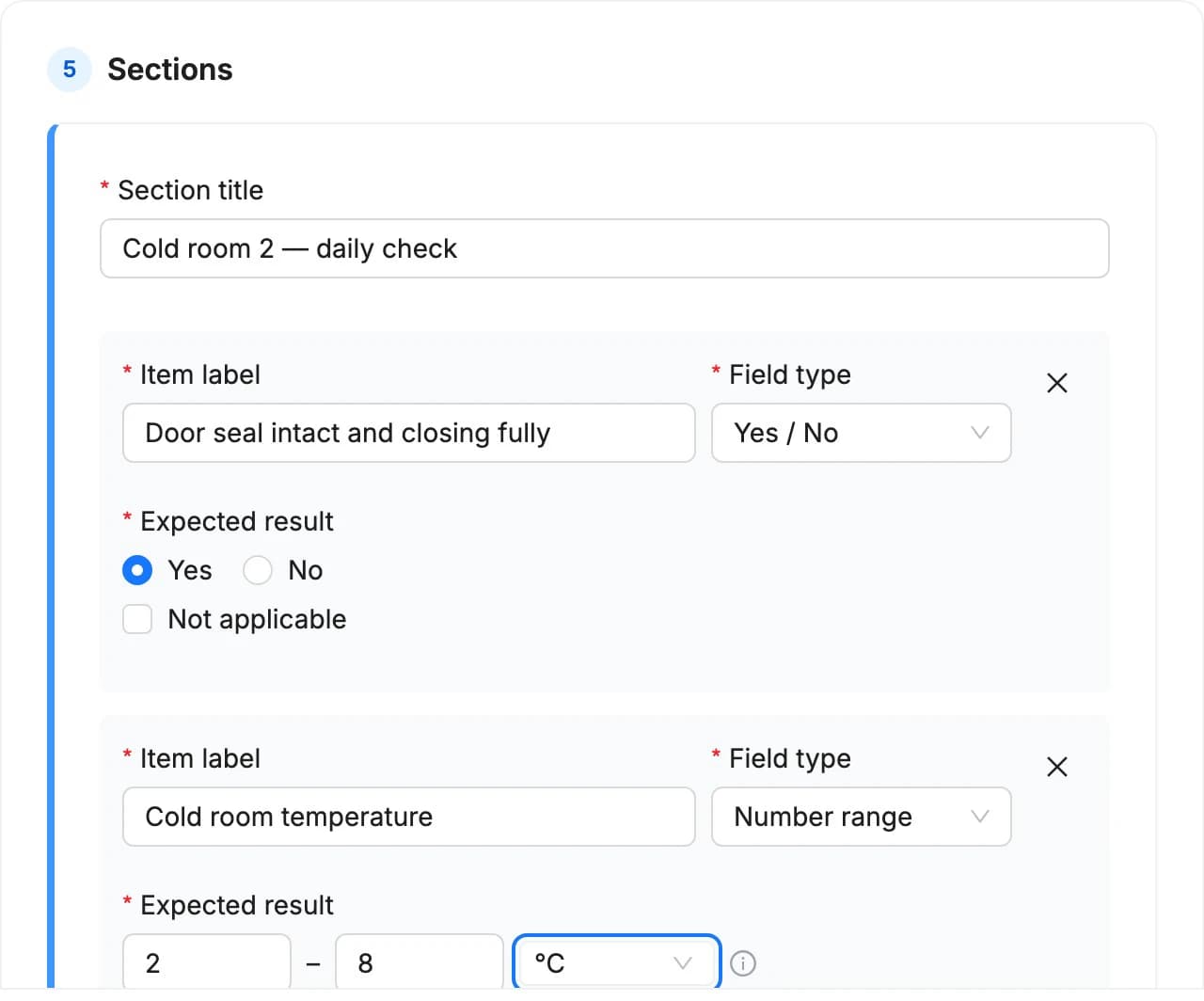
Design a template once, use it every shift
Group items into sections and choose how each one is answered. Set the expected result, and QFacts knows what a good answer looks like.
- Eight answer types: yes/no, text, number, number range, single choice, multiple choice, date and date range
- Expected results with tolerances, ranges or acceptable choices, and units such as °C, pH or %RH
- Templates are reviewed and approved before use, and every revision keeps its history
2. Run
Fill it in where the work happens
Launch a checklist when you need it or let it start on a schedule. The person assigned fills it in on a computer, tablet or phone.
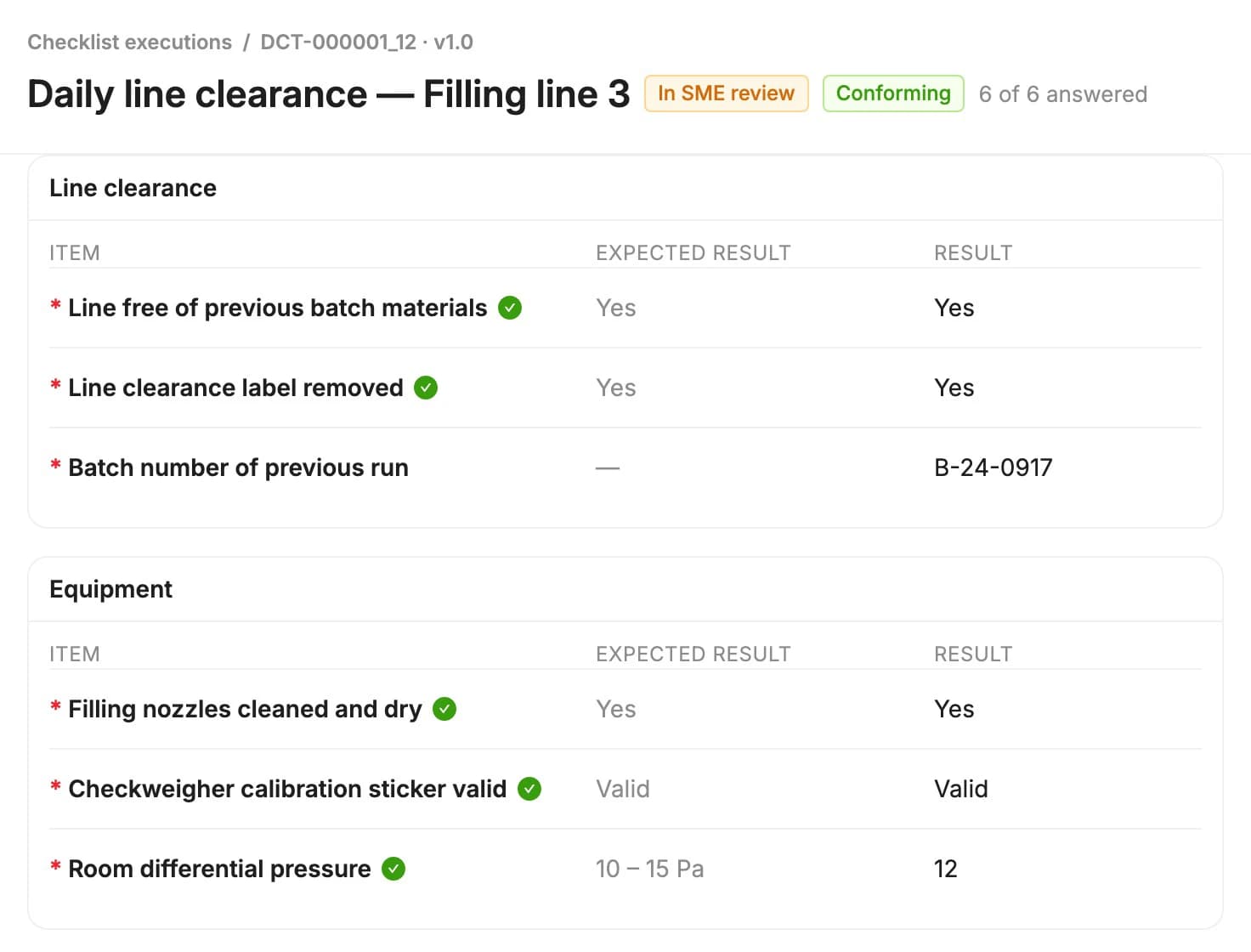
- Every answer is marked conforming or non-conforming against its expected result
- Save progress, attach files and hand over to a colleague when a shift ends
- Submit with an electronic signature, so you know who did what and when
3. Review
Review and approve with a clear trail
Completed checklists go to subject matter experts and QA. Approve with a comment and signature, or send the checklist back with the changes you need.
- Optional SME review followed by QA approval, with default reviewers per checklist type
- Request changes and the checklist returns to the person who filled it in
- Each step is on the timeline, and every run can be exported as a PDF
Built for regulated routines
Line clearances, cleaning rounds, equipment checks and walkthroughs, run the same way every time.
Recurring checklists
Set a launch frequency in days, months or years. Each new run starts on time and the people who fill it in are notified.
Periodic template review
QFacts reminds owners when a template is due for review. Confirm it stays effective or start a new revision.
Deviations stand out
Non-conforming answers are flagged on the item and counted on the run, so reviewers see them straight away.
PDF records
Export any run or template revision as a PDF for audits, batch records or customers.
Made for the shop floor
Operators fill in checklists on a phone or tablet, right where the work happens. Save progress on one device and finish on another.
- Large answer buttons and one card per item
- Jump to the next unanswered item
- Save progress and pick up on another device
- Sign and submit from the device, with the result recorded straight away
- Document ManagementCreate, review, and approve documents with full version control.
- TrainingAssign training, track competency, and ensure compliance.
- Events & ComplaintsCapture events, complaints, and deviations in one place.
- CAPAsManage corrective and preventive actions to drive improvement.
- Change ControlPlan, assess, and approve changes with full traceability.
- Regulatory ComplianceStay compliant with FDA, EMA, and ISO regulations.
Put QFacts to work for 14 days.
Sign up directly and explore how QFacts connects your documents, training and quality workflows. Start with a process your team knows.