
Capture every event. Resolve every complaint.
From deviations on the production floor to customer complaints in the field, QFacts gives your quality team a single system to capture, investigate, and resolve events with full traceability.

See it in the product
Recorded in QFacts, on the same screens your team will use.
1. Report
Log an event in minutes
Record what happened, when, and which batches were affected, then send it straight to QA for an impact assessment.
- Internal or external events with date and time
- Impacted batches listed by product
- QA's assessment decides: investigate or close
2. Assess
Complaints assessed and closed with a signature
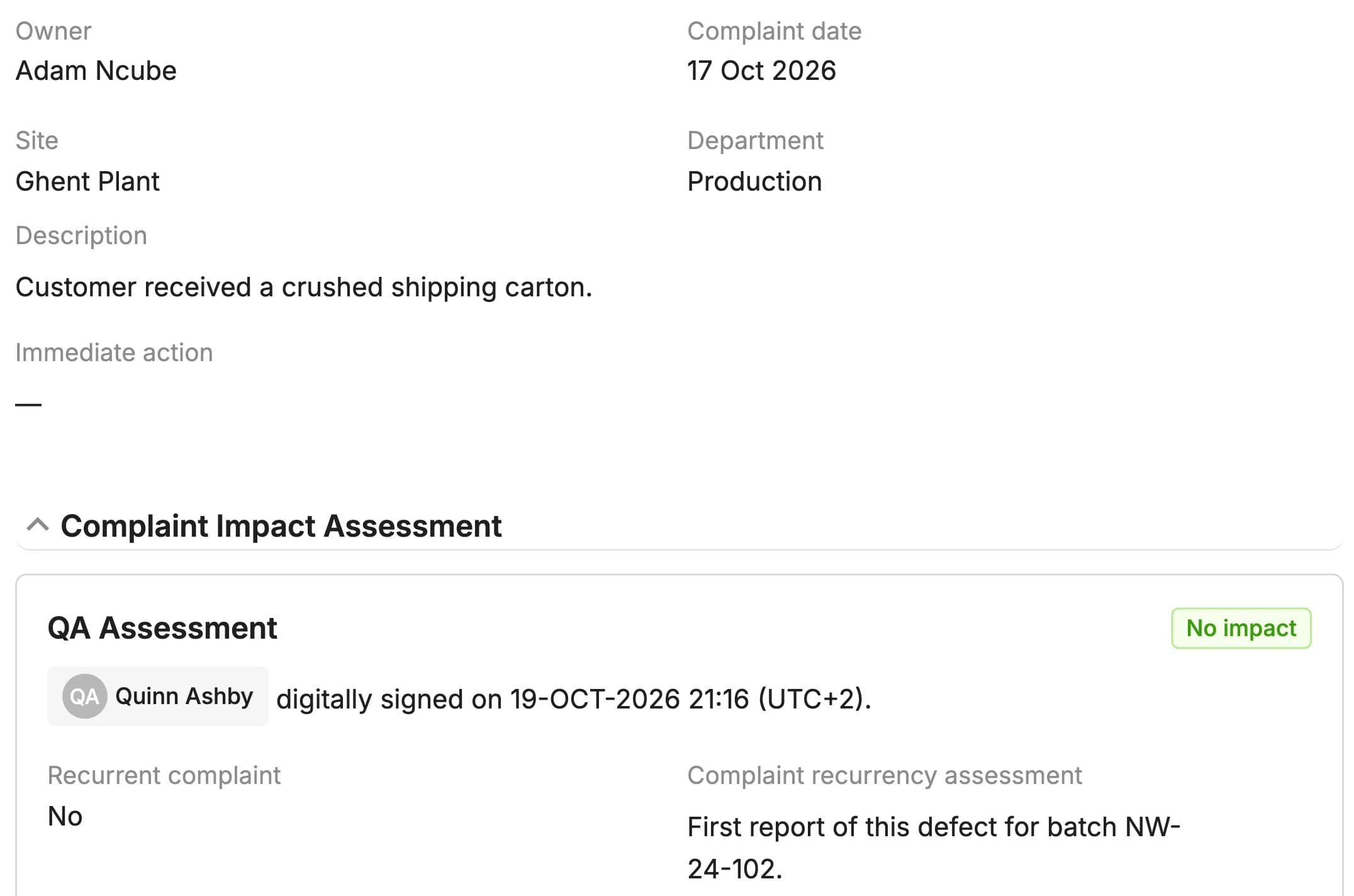
For each complaint QA records whether it recurs and what its impact is. A complaint without impact is closed there and then, signed and timestamped.
- Recurrence check with an explanation
- Impact levels configured per site
- QA assessment signed electronically
Complete event management
Everything your quality team needs to handle deviations, complaints and nonconformances, from the first report to the corrective action.
Real-Time Capture
Log deviations, complaints, and non-conformances the moment they occur. Mobile-friendly forms ensure nothing slips through the cracks on the production floor.

Impact-Based Assessment
Classify each event by department, internal or external origin and the impact levels your site configures, so QA decides on facts.

Root Cause Investigations
Events with impact move into an investigation that records the root cause. One investigation can cover several related events and links the CAPAs that address them.

Searchable History and Exports
Filter and search every event and complaint, and export the list to CSV, Excel or PDF for trending and management review.

Recurrence Check
For each event QA records whether it recurs and explains why, so repeat problems are visible instead of buried.

Complaint Sources and References
Record where each complaint came from and its external reference, and track whether its receipt was confirmed to the customer.

Five stages from capture to closure
A structured workflow that ensures every event is properly investigated, classified, and resolved, with a complete audit trail.
Capture
Log the event with structured data fields, attachments, and initial classification.
Classify
QA assesses recurrence and impact and decides whether an investigation is needed.
Investigate
Assign investigators, gather evidence, and perform root cause analysis.
Resolve
Implement corrective actions, verify effectiveness, and close the event with approval.
Review
Filter and export events and complaints for trending, management review and inspections.
Root cause investigation
When QA assesses an event as having impact, it moves into an investigation. Record the root cause, link the CAPAs that address it and track resolution, all in one connected workflow with a full audit trail.


Built for your role
See how different team members use QFacts Events & Complaints every day.
See how Quality Officer uses Events & Complaints to log a production deviation with photos and initial classification in under two minutes, then track the investigation through to root cause and corrective action.
See how Production Lead uses Events & Complaints to report a customer complaint directly from the shop floor, attach supporting evidence, and receive automatic updates as the quality team investigates and resolves the issue.
- Document ManagementCreate, review, and approve documents with full version control.
- TrainingAssign training, track competency, and ensure compliance.
- CAPAsManage corrective and preventive actions to drive improvement.
- Change ControlPlan, assess, and approve changes with full traceability.
- ChecklistsRun approved checklists with expected results, review and e-signatures.
- Regulatory ComplianceStay compliant with FDA, EMA, and ISO regulations.
Put QFacts to work for 14 days.
Sign up directly and explore how QFacts connects your documents, training and quality workflows. Start with a process your team knows.